Luzia launches "Ideas": the creative feed that shows you everything AI can do for you
There is a question that almost everyone asks themselves the first time they use an artificial intelligence assistant: what else can this be used for?
That's normal. Most AI apps display a blank screen and a blinking cursor. You type, it responds. But if you don't know what to ask it, you're left with only a fraction of what it can actually do.
Luzia has just solved that problem with a new feature: Ideas.
What exactly is Ideas?
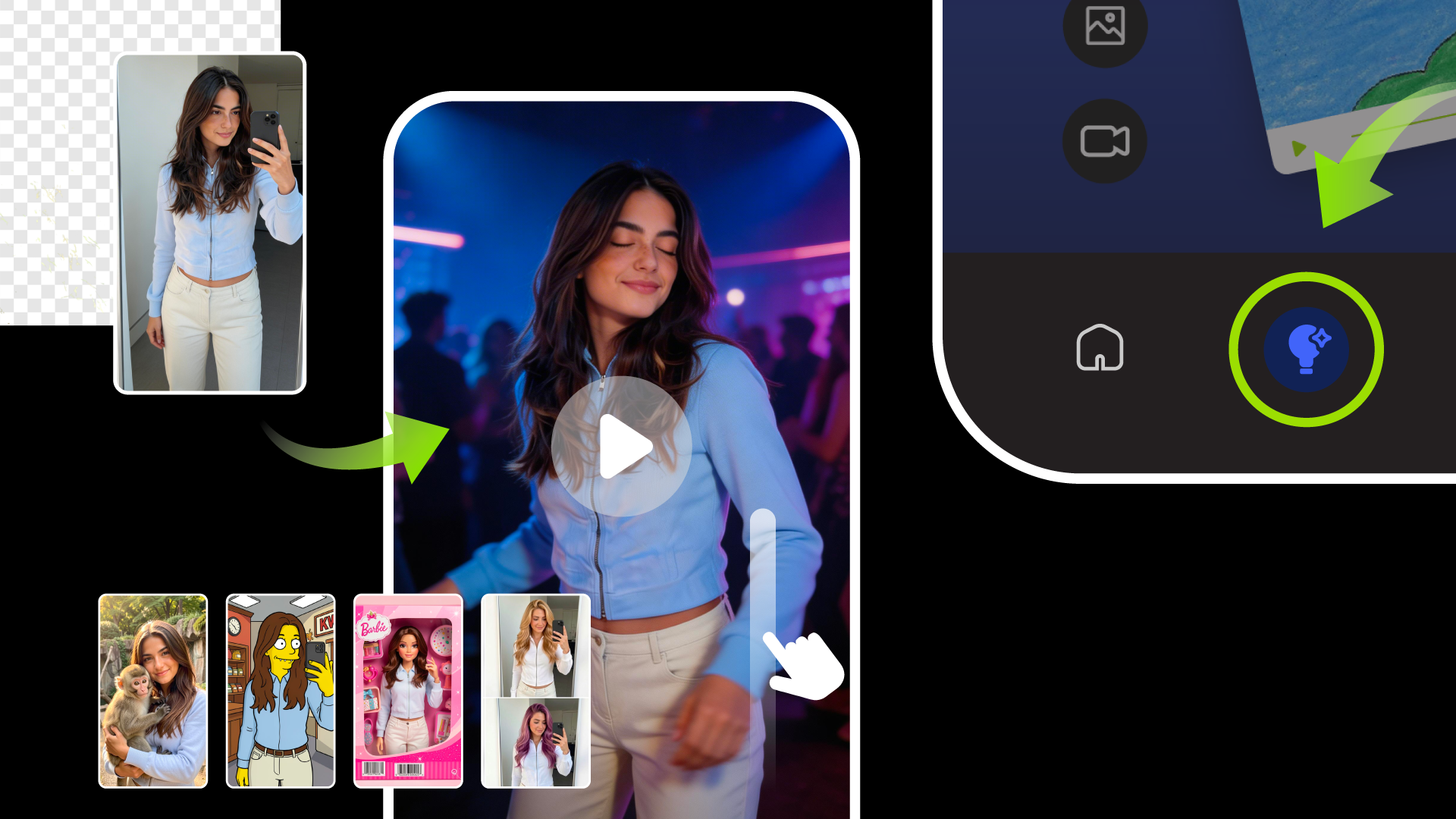
Ideas is an interactive feed within the Luzia app. It works similarly to a video feed: you swipe up and discover tools, possibilities, and examples of what you can create with AI.
It's not a tutorial. It's not a menu of options. It's more like a source of continuous inspiration—designed so that you can see at a glance what you can do and, with a single tap, try it out right away.
The idea behind it is simple but powerful: show before explaining.
What kind of tools can you discover in the feed?
The Ideas feed brings together Luzia's creative capabilities in a visual and accessible way. Some of the ones you can find include:
- Image to video Upload a photo of yourself and Luzia will turn it into an animated video. As shown in the app example, a static photo can be transformed into a scene with completely new movement, lighting, and atmosphere.
- Style transformations Want to look like a character from The Simpsons? Like a Barbie doll? In a photo with an exotic animal? Style transformations let you reinvent an image with different visual aesthetics—all with generative AI.
- Advanced photo editing Remove the background from an image, change elements, adjust details. Tools that previously required Photoshop skills are now accessible with a natural language prompt.
- Inspiration for new projects The feed doesn't just show visual tools. It also suggests ways to use Luzia for writing, brainstorming, generating ideas for content, or creative projects.
Why this approach makes a lot of sense
One of the biggest challenges with AI tools isn't the technology—it's adoption. People don't use what they don't understand, and they don't understand what no one has clearly shown them.
The feed format solves this problem elegantly. Instead of forcing users to explore menus or read documentation, Ideas brings the tools directly to their screen, in visual format, with real examples.
It's the same principle that made TikTok and Reels so successful: passive discovery works better than active searching when you don't know exactly what you're looking for.
Everything Luzia can do — in one place
Ideas also serves as a map of the entire Luzia ecosystem. And that ecosystem is broader than many users imagine:
- AI image generation and editing
- Converting images to video
- Visual style transformations
- Writing and proofreading
- Summary of documents and PDFs
- Translation into dozens of languages
- Brainstorming and idea generation
- Travel planning, menus, routines
- Assistance with code and technical issues
- Audio transcription
All of this is accessible from WhatsApp, Telegram the app itself—no prior registration required, with end-to-end encryption.
Who is Ideas most useful for?
For new users, it is the fastest way to understand the real potential of the tool without having to experiment blindly.
For regular users, it's a way to discover features they may not have known existed—and to be inspired for new creative uses.
And for content creators in particular, the Ideas feed can become a constant source of reference: see what's possible, try it out instantly, and apply it to your projects.
In conclusion
Ideas isn't just a new feature. It's a commitment to making AI more accessible, more visual, and more intuitive for everyone.
At a time when the AI assistant market is becoming saturated with options, it is not always the technology that makes the difference—but rather the user experience. And Luzia is betting heavily on making the discovery of what AI can do a creative experience in itself.